Divide Symbol (÷): Complete Guide to Its Meaning, History, Keyboard Shortcuts, Unicode Code, Copy-and-Paste Methods, and Proper Use in Math

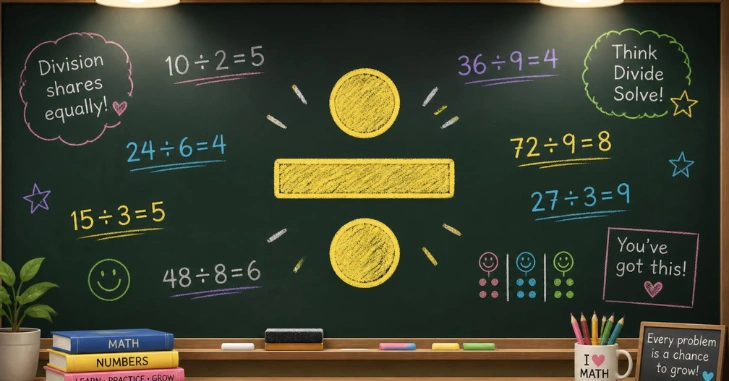
If you searched for the divide symbol because you need to copy it, type it, or understand it, here it is: ÷. In basic arithmetic, it tells you to divide one value by another. Computers, spreadsheets, and some math formats often use a forward slash instead.
The ÷ character tells you to divide one number by another. For example, 12 ÷ 3 = 4. Unicode names it DIVISION SIGN and assigns U+00F7. On a standard U.S. Mac keyboard, press Option + /. On Windows, Alt+0247 can work with a compatible numeric keypad and code-page setup.
| Quick fact | Answer |
| Character | ÷ |
| Unicode name | DIVISION SIGN |
| Unicode code point | U+00F7 |
| Traditional name | Obelus |
| Windows method | Alt + 0247 |
| Mac shortcut | Option + / |
| Microsoft Word | Type 00F7, then press Alt + X. |
| Excel calculation operator | / |
Unicode lists the character as U+00F7 DIVISION SIGN and also identifies it as an obelus. Microsoft confirms that Excel uses the forward slash for division formulas.
Key Takeaways
- Copy this character when you need it: ÷
- Use Option + / on a standard U.S. Mac keyboard.
- Windows users can try Alt + 0247 with a numeric keypad.
- Microsoft Word supports 00F7 followed by Alt + X.
- Use /, not ÷, for Excel formulas and most programming calculations.
What Does the ÷ Sign Mean?
The divide symbol sign represents mathematical division. In 20 ÷ 5 = 4, 20 is the dividend, 5 is the divisor, and 4 is the quotient. The familiar mark has two dots separated by a short horizontal line. Unicode assigns it the code point U+00F7. The Unicode Standard also records its historical name, obelus, and notes that the mark once had punctuation uses. For a closer look at this, see Music Symbol Meanings and Copy-Paste Reference for Notes.
In U.S. elementary arithmetic, ÷ is easy to recognize on worksheets and calculators. Other formats may use /, a division slash, or a horizontal fraction bar.
How to Type the Divide Symbol on Windows and Mac
Windows
Many standard U.S. PC keyboards don’t have a dedicated ÷ key. If your computer has a numeric keypad, try this method:
- Turn on Num Lock if needed.
- Hold the Alt key.
- Type 0247 on the numeric keypad.
- Release Alt.
Alt + 0247 works with compatible Windows code-page setups. If it produces the wrong character, use Character Map or copy and paste ÷ instead.
In Microsoft Word, another reliable option is to type 00F7 and press Alt + X. Microsoft documents Alt + X as its Unicode conversion method.
Mac
On a standard U.S. Mac keyboard, press:
Option + /
That shortcut inserts ÷ in many Mac applications. You can also open Character Viewer with Control + Command + Space and search for the division sign.
Techrolab readers who use an Apple desktop may also find the Mac Mini M2 hardware guide useful for more Mac-focused information.
Using ÷ in Word, Google Docs, and Excel
Microsoft Word: Go to Insert > Symbol > More Symbols and choose the character. You can also enter 00F7 and press Alt + X. Microsoft supports Unicode character conversion through this shortcut.
Google Docs: On a computer, choose Insert > Special characters. Search for “division,” browse the available symbols, or enter its Unicode value. Google Docs officially supports Unicode lookup in the Special Characters menu.
Microsoft Excel: Use / when you want Excel to calculate division. For example, =10/5 returns 2. The ÷ character can appear as text, but it isn’t Excel’s division operator.
That distinction prevents a common spreadsheet error: a mathematical character that looks correct to a person may not work as a formula operator.
Typing the Sign on iPhone, iPad, and Android
The standard U.S. iPhone and iPad on-screen keyboard doesn’t provide a dedicated ÷ key. Copying and pasting the character is often the fastest option. You can also create an iOS text replacement for frequent use.
For more background on the two major mobile platforms, see Techrolab’s Android vs. iOS operating system comparison.
Android keyboards vary by device and keyboard app. Some provide the character in an extra symbols panel or through a long-press menu. If yours doesn’t, copy ÷ and paste it into your message, document, or note.
Android users can also browse Techrolab’s Pixel 6 vs. Pixel 7 comparison for more Google-device coverage.
÷ vs. / vs. ∕: Which Division Mark Should You Use?
These characters can look related, but they aren’t the same Unicode character.
| Character | Name or role | Common use |
| ÷ | Division sign, U+00F7 | Basic arithmetic and educational material |
| / | Forward slash or solidus | Excel, programming, calculators, plain text |
| ∕ | Division slash, U+2215 | Mathematical typography |
| Fraction bar | Horizontal fraction line | Fractions and formal mathematical notation |
Unicode separately encodes the division sign and the division slash. Microsoft also specifies / as the calculation operator for division in Excel.
A practical rule is simple: use ÷ for readable arithmetic and / when software expects an operator. For typeset fractions, a fraction bar is usually clearer.
Unicode, HTML, LaTeX, and Programming Codes
If you’re creating a webpage or working with technical text, these formats are useful:
| Format | Code |
| Unicode | U+00F7 |
| HTML named entity | ÷ |
| HTML decimal | ÷ |
| HTML hexadecimal | ÷ |
| LaTeX math command | \div |
| Unicode escape | \u00F7 |
The character is part of Unicode, so you can store and display it as normal text when the software and font support it. Unicode’s official names list confirms U+00F7.
For programming calculations, don’t assume the visible glyph works as an operator. Most common programming languages use / for division. The ÷ character may still be stored in strings or displayed in an interface.
Common Mistakes to Avoid
A few small differences can cause confusing results.
- Don’t enter =10÷5 as an Excel formula. Use =10/5.
- Don’t assume Alt + 0247 works without a numeric keypad.
- Don’t confuse it with the separate Unicode division slash ∕.
- Check your keyboard layout before relying on a shortcut.
- Use copy and paste if an application handles keyboard codes differently.
For documents meant for people, choose the notation that is easiest to read. For software formulas, use the operator required by that application.
Conclusion
The divide symbol (÷) is one of the most recognizable mathematical symbols, but knowing when and where to use it is just as important as knowing what it means. In basic arithmetic, the symbol clearly shows that one number should be divided by another, as in 12 ÷ 3 = 4. Its Unicode identity, U+00F7, also makes it easy to use across modern digital documents and applications that support Unicode characters.
Typing the divide symbol (÷) is straightforward once you know the method for your device. Windows users can use a compatible numeric keypad with Alt + 0247, while Microsoft Word provides the Unicode shortcut 00F7 followed by Alt + X. Mac users can generally type it with Option + /. When keyboard shortcuts do not work, copying and pasting ÷ or using a built-in character or symbol viewer provides a simple alternative.
Frequently Asked Questions
The ÷ character is formally called the division sign in Unicode. It is also known as an obelus, a name connected to its older historical uses.
On a standard U.S. Mac keyboard, press Option + /. On compatible Windows setups with a numeric keypad, hold Alt and type 0247.
Yes. Copy ÷ from this page and paste it into a document, message, presentation, or other field that supports Unicode text.
The Unicode code point is U+00F7. Its official Unicode name is DIVISION SIGN.
\