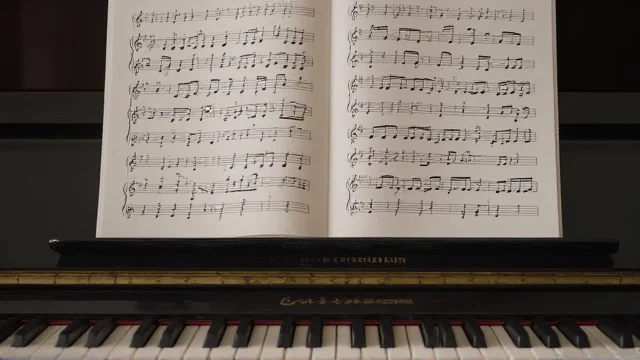
If you searched for a music symbol, you probably need one of two things. You may want a sign to copy. You may also want its proper name and meaning. This guide gives you both without making you decode sheet music first.
A musical sign can represent a note, clef, accidental, rest, repeat mark, or music-related emoji. Common text characters include ♪, ♫, ♩, ♭, ♮, and ♯. Copy them directly or insert Unicode codes in supported apps. Character viewers also work on Windows, macOS, iPhone, and Android.
| Symbol | Name | Unicode | Quick use |
|---|---|---|---|
| ♩ | Quarter note | U+2669 | Common inline note sign |
| ♪ | Eighth note | U+266A | Popular music-related text sign |
| ♫ | Beamed eighth notes | U+266B | Two joined eighth-note shapes |
| ♬ | Beamed sixteenth notes | U+266C | Two joined sixteenth-note shapes |
| ♭ | Flat | U+266D | Lowers written pitch |
| ♮ | Natural | U+266E | Cancels an accidental |
| ♯ | Sharp | U+266F | Raises written pitch |
| 𝄞 | G clef | U+1D11E | Usually seen as treble clef |
| 𝄡 | C clef | U+1D121 | Used for alto or tenor placement |
| 𝄢 | F clef | U+1D122 | Usually seen as bass clef |
| 𝄐 | Fermata | U+1D110 | Marks a held note or rest |
Unicode code points follow the current Unicode character charts.
Key Takeaways
- Use ♪, ♫, ♩, ♭, ♮, and ♯ when broad text support matters.
- Use 𝄞, 𝄢, 𝄡, rests, and repeat marks when notation accuracy matters.
- Copying works anywhere that accepts the character and a supporting font.
- Word supports Unicode code conversion with Alt+X on Windows.
- Mac users can insert characters through Character Viewer.
- Test rare notation glyphs before publishing them publicly.
Copy 30+ Musical Signs
Many search results mix notation, emoji, and decorative characters. This table separates them, so you can pick the right form. Copy any character that displays correctly on your device. Test uncommon signs before using them in public-facing text.
| Category | Copyable signs |
|---|---|
| Basic notes | ♩ ♪ ♫ ♬ 𝅝 𝅗𝅥 𝅘𝅥 𝅘𝅥𝅮 𝅘𝅥𝅯 𝅘𝅥𝅰 |
| Clefs | 𝄞 𝄡 𝄢 𝄥 𝄦 |
| Accidentals | ♭ ♮ ♯ 𝄪 𝄫 |
| Rests | 𝄻 𝄼 𝄽 𝄾 𝄿 𝅀 𝅁 𝅂 |
| Repeats and navigation | 𝄆 𝄇 𝄉 𝄊 𝄋 𝄌 |
| Pauses | 𝄐 𝄑 𝄒 𝄓 |
| Music emoji | 🎵 🎶 🎼 🎤 🎧 🎹 🎸 🎻 |
Unicode provides dedicated code points for notes, clefs, rests, repeats, and other notation characters. Emojis such as 🎵 and 🎶 use separate code points. Their appearance can vary between operating systems and fonts.
What the Common Signs Mean
The familiar ♩, ♪, ♫, and ♬ characters are Unicode text symbols. Unicode names them quarter note, eighth note, beamed eighth notes, and beamed sixteenth notes. In formal notation, note values communicate relative duration. Their exact beat count depends on the meter and musical context.
Accidentals change or restore pitch. A sharp raises a written pitch by a semitone, while a flat lowers it. The natural sign cancels a previous sharp or flat where notation rules apply. Double sharps and double flats alter pitch by two semitones.
Clefs establish pitch references for the staff. The G clef is commonly used as the treble clef. The F clef commonly appears as the bass clef. The C clef can mark alto or tenor ranges, depending on placement.
Rests mark measured silence rather than sounding notes. Repeat signs tell performers to play a passage again. A fermata signals a hold beyond the written duration. Segno and coda signs help direct movement through a score.
Unicode Text Signs Versus Emoji
Text symbols and emoji can look similar, but devices render them differently. Basic signs such as ♪ and ♯ usually follow the surrounding font. Emoji such as 🎵 and 🎶 often use a colored emoji style. Rare notation characters may show as boxes when a font lacks them.
| Feature | Text notation sign | Music emoji |
|---|---|---|
| Examples | ♪ ♯ 𝄞 | 🎵 🎶 🎼 |
| Rendering | Follows font support and text styling | Uses emoji font and often color |
| Best use | Documents, labels, notation references | Casual messages and social posts |
| Device behavior | Specialized glyph coverage varies | Visual style varies by platform |
For websites, text characters stay selectable and searchable. They also scale with nearby text without separate image files. An image makes sense when exact artwork matters across devices. Techrolab’s website planning guide covers broader publishing choices for site owners.
How to Copy and Type a Music Symbol

Copying is the fastest method for most users. Select the character, copy it, and paste it into the destination field. The same approach works in documents, messages, captions, and many profile fields. Always preview uncommon notation signs before publishing.
Windows and Microsoft Word
Windows offers several input routes. In Microsoft Word, type a Unicode code and press Alt+X. Microsoft documents this conversion method for supported characters. For example, 266A followed by Alt+X produces ♪ in compatible Word fonts.
macOS
On a Mac, open Character Viewer with Control-Command-Space. Apple lets you search by character name or Unicode code. Double-clicking a result inserts it into the active text field. This method is safer than memorizing layout-specific shortcuts.
iPhone and Android
On phones, copying is usually easiest for uncommon notation marks. Standard emoji may already appear on the emoji keyboard. Specialized clefs and rests depend more heavily on font support. Save frequently used characters in notes or text replacement shortcuts.
HTML and Unicode
Web authors can use the character itself or a numeric character reference. The basic notes occupy U+2669 through U+266C in Unicode. Flat, natural, and sharp use U+266D through U+266F. More specialized notation lives mainly in the Musical Symbols block.
Why Some Signs Show as Empty Boxes
An empty square usually means the current font lacks that glyph. The character can still exist correctly in the text. Another device may display it without any problem. Switching to a font with broader Unicode coverage often fixes the issue.
Basic notes and accidentals sit in the Miscellaneous Symbols block. Specialized notation uses the dedicated Musical Symbols block. Some fonts cover the first group without covering the second. Test the exact platform before using rare signs in usernames or public labels.
Accessibility and Appropriate Use
Decorative signs can add personality, but they should not replace important words. Assistive technology may not communicate a symbol’s intended visual meaning. Long decorative strings can also create extra audible clutter. Keep essential meaning in plain text beside decorative characters.
W3C guidance warns against relying on a graphical symbol alone for information. A text label gives users another way to understand the same message. That practice also helps readers unfamiliar with specialized notation. Use decoration as support, not as the only explanation.
Using Musical Signs in Social Posts, Documents, and Websites
For casual posts, the safest characters are the familiar basic notes and accidentals. They work well as light decoration around names, playlists, captions, and event titles. Avoid filling whole lines with repeated characters. A few signs usually communicate the theme more clearly.
For technical writing, use the proper Unicode character and its name together. This makes code points easier to verify and reduces confusion between similar glyphs. Techrolab’s Technology section contains more practical explainers for digital tools. Its gaming-earbuds guide also covers modern audio hardware for U.S. readers.
Frequently Asked Questions
What is a music symbol?
It is a written sign connected with musical sound, notation, or performance. Examples include notes, clefs, rests, accidentals, repeats, and expressive marks. Music-related emoji also communicate a musical theme in everyday digital text. Formal notation symbols carry more specific instructions than decorative emoji.
What does ♪ mean?
Unicode names ♪ the eighth note and assigns it U+266A. People also use it decoratively to suggest music, singing, or sound. In sheet music, an eighth-note value represents half a quarter-note duration. Its beat value depends on the meter.
What is the difference between ♪ and ♫?
Unicode names ♪ an eighth note and ♫ beamed eighth notes. The second character visually joins two eighth-note shapes with a beam. Both are common in digital text and decorative use. Formal scores use fuller notation rules than these standalone text characters.
How do I type a musical note on Windows?
Copying the character is the simplest universal method. In Word, you can type its Unicode code and press Alt+X. Microsoft documents Alt+X for converting Unicode codes into characters. Font support still affects the result you see.
How do I type a musical note on a Mac?
Press Control-Command-Space to open Character Viewer. Search for terms such as note, clef, sharp, or flat. Apple also allows searches by Unicode name or code. Double-click the character to insert it.
Why does a musical sign appear as a square?
The selected font probably lacks that character. Your text may still contain the correct Unicode code point. Try another font or a more widely supported sign. Always test rare glyphs on the devices your audience uses.
Final Takeaway
Start with the simplest character that communicates what you need. Use basic Unicode signs for broad compatibility and dedicated notation signs for technical accuracy. Check display, meaning, and accessibility before publishing. Continue with Techrolab’s other technology explainers when you need related digital references.
Use this page as a quick reference when unfamiliar glyphs appear. Confirm the character name before using it in educational or technical work. For decorative use, choose familiar signs that render cleanly across your audience’s devices.