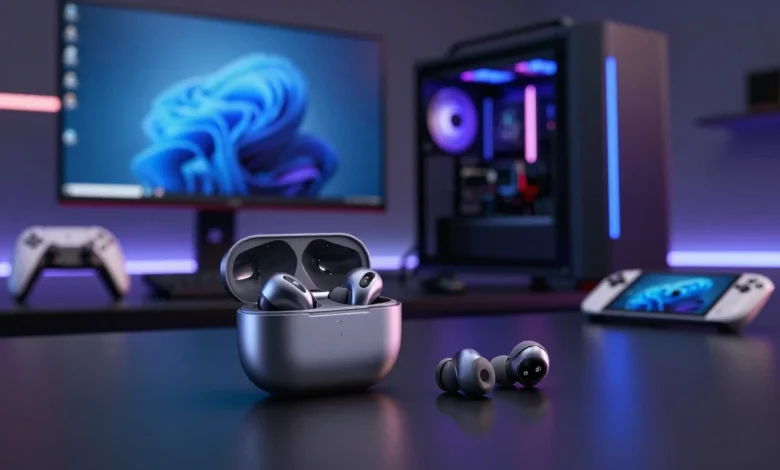
Gaming earbuds have become a serious alternative to bulky over-ear headsets, especially for players who switch between a gaming PC, console, handheld, and phone. The best models now combine low-latency wireless connections, useful microphones, long battery life, and compact cases without requiring gamers to give up immersive audio. However, choosing the right pair depends heavily on how you play and which platform you use.
For competitive gaming, connection type matters more than flashy RGB lighting or even the Bluetooth version printed on the box. A dedicated 2.4GHz USB dongle or a wired connection is generally the safer choice when precise synchronization between on-screen action and the sound in your ears matters. Recent independent testing also continues to treat latency, microphone performance, comfort, sound balance, and battery life as the core criteria for gaming-focused earbuds.
Quick answer: The SteelSeries Arctis GameBuds are the best all-round choice for most players because they combine 2.4GHz wireless, Bluetooth, ANC, strong platform support, game-specific EQ presets, and up to 40 hours of total battery life. Sony, ASUS, HyperX, and SteelSeries also offer compelling alternatives for specific platforms, budgets, and microphone needs.
Best Picks at a Glance
| Model | Best for | Connection | Battery | U.S. price reference |
|---|---|---|---|---|
| SteelSeries Arctis GameBuds | Best overall | 2.4GHz + Bluetooth 5.3 | Up to 10 hours; 40 hours with case | About $160 |
| Sony INZONE Buds | Best for PS5 and PC | 2.4GHz + LE Audio | Up to 12 hours; 24 hours with case | $239.99 MSRP |
| ASUS ROG Cetra True Wireless SpeedNova | Best premium PC/PS5 alternative | 2.4GHz + Bluetooth | Up to 36 hours total on 2.4GHz | $199.99 |
| HyperX Cloud Earbuds II | Best affordable wired option | 3.5mm wired | No battery required | $44.99 MSRP; $29.99 sale when checked |
| SteelSeries Tusq | Best wired earbuds with boom mic | 3.5mm wired | No battery required | Varies by retailer |
Prices and promotions can change, so U.S. shoppers should verify the current checkout price before ordering. More importantly, do not compare products on price alone because a $30 wired model and a $200 wireless model solve very different gaming problems. The connection, platform support, microphone design, comfort, and battery requirements should determine which price tier makes sense.
How These Picks Were Chosen
This guide does not claim that Techrolab laboratory-tested every product listed below. The recommendations are based on current U.S. manufacturer specifications, product availability, platform support, and findings from recent independent gaming-earbud testing, including RTINGS and other specialist technology publications. Products were weighted most heavily on latency, reliable connectivity, microphone usefulness, comfort, battery life, and ease of fitting into a real gaming setup.
That approach also prevents a common mistake in gaming-audio roundups: treating ordinary music earbuds as gaming products simply because they sound good. Great music tuning cannot compensate for distracting audio delay during a competitive match, and strong ANC does not help if the earbuds cannot connect properly to your console. The strongest picks therefore balance audio quality with the technical requirements that affect gameplay.
1. SteelSeries Arctis GameBuds: Best Overall
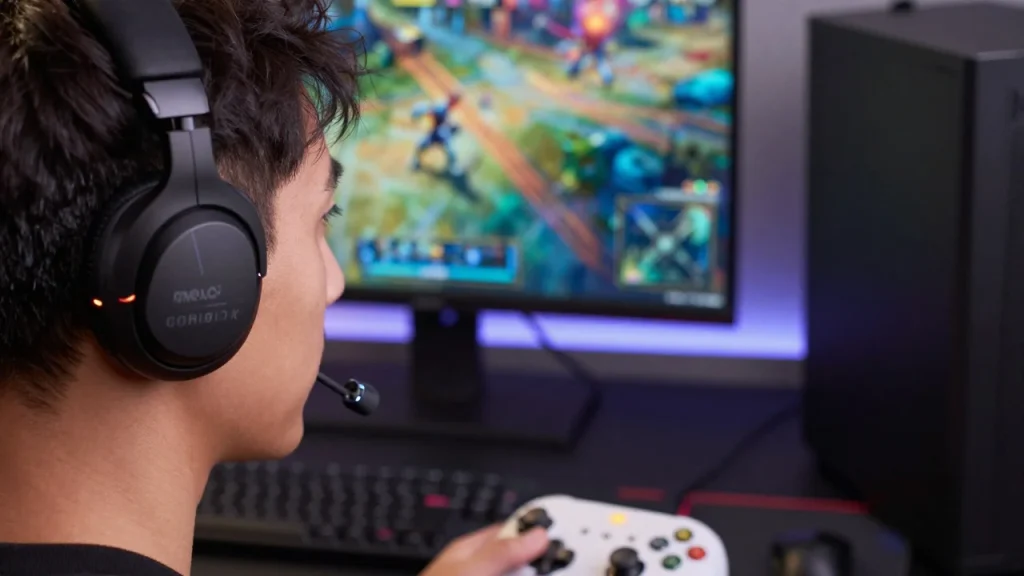
The SteelSeries Arctis GameBuds are the strongest all-around choice because they were built around gaming connectivity instead of adapting a conventional Bluetooth earbud design. They combine high-speed 2.4GHz wireless through a USB-C dongle with Bluetooth 5.3, allowing players to use the faster connection for games and switch to Bluetooth for everyday mobile audio. SteelSeries also includes ANC, transparency mode, spatial audio support, an IP55 resistance rating, and more than 100 game-specific audio presets through its companion app.
Battery life is another important advantage, as SteelSeries rates the earbuds at up to 10 hours per charge and up to 40 hours with the Qi-compatible charging case. A 15-minute fast charge can provide up to 3 additional hours of play, making the GameBuds easier to live with during long weekends or travel. These features help explain why recent RTINGS and TechRadar guides also place the Arctis GameBuds at or near the top of the category.
Xbox players need to pay particular attention to the version they purchase because SteelSeries sells a dedicated Arctis GameBuds model for Xbox. That version supports Xbox, PC, PS5, Nintendo Switch, VR systems, tablets, and other compatible devices through its multi-platform dongle, while still retaining Bluetooth switching. For a gamer who wants one compact wireless pair to work with several devices, that broad compatibility gives the GameBuds a major practical advantage.
Best for: Gamers who want one premium pair for multiple systems.
Main drawback: They cost considerably more than basic wired models, and their built-in microphone still cannot completely reproduce the placement and clarity of a full-size headset boom mic.
2. Sony INZONE Buds: Best for PS5
Sony’s INZONE Buds make the most sense for players whose gaming time revolves around PlayStation 5 or PC. The included USB-C transceiver provides a dedicated low-latency connection, and Sony specifies latency of less than 30 milliseconds through the dongle. The earbuds also provide active noise cancellation, ambient sound, personalized 360 Spatial Sound for Gaming, and an AI-assisted microphone designed to reduce distracting background noise.
Battery performance is particularly impressive for a true-wireless gaming design because Sony rates the INZONE Buds at up to 12 hours of continuous play over the 2.4GHz connection. The charging case raises the available total to approximately 24 hours, while a five-minute quick charge can provide about one hour of additional play. Each earbud weighs about 6.5 grams, reinforcing Sony’s focus on reducing fatigue during long gaming sessions.
There is an important compatibility detail that U.S. buyers should understand before purchasing them for everyday phone use. The INZONE Buds use Bluetooth LE Audio with the LC3 codec rather than standard Bluetooth Classic, so a phone needs LE Audio compatibility unless the supplied USB-C transceiver can be used instead. Sony specifically notes that the iPhone is not supported through that transceiver arrangement, making the INZONE Buds less universally convenient than some mainstream Bluetooth earbuds.
Best for: PS5 and PC gamers who value long single-charge battery life and low wireless latency.
Main drawback: Their Bluetooth implementation is less flexible for everyday smartphone use than conventional Bluetooth earbuds.
3. ASUS ROG Cetra True Wireless SpeedNova: Best Premium PC Alternative
The ROG Cetra True Wireless SpeedNova is a feature-heavy alternative for gamers who primarily use a PC, PS5, Nintendo Switch, or compatible handheld. ASUS supports both Bluetooth and its SpeedNova 2.4GHz USB-C connection, with the latter designed specifically for lower-latency gaming audio. The earbuds also include adaptive ANC, 10mm drivers, 24-bit/96kHz playback in 2.4GHz mode, and bone-conduction-assisted AI microphones for voice communication.
Battery life depends substantially on the connection, ANC, and RGB settings, which makes ASUS’s detailed specifications more useful than a single headline number. With ANC and RGB disabled, ASUS lists up to 9 hours from the earbuds plus another 27 hours from the case in 2.4 GHz mode, for up to 36 hours total. Bluetooth mode can extend the maximum total to 46 hours under favorable settings, although real-world results will naturally depend on volume and enabled features.
Platform support is broad but not universal. ASUS lists PC, Mac, Android, Nintendo Switch, PS4, and PS5 as platforms available through the SpeedNova dongle, while Bluetooth mode provides standard wireless connectivity for compatible devices. Xbox is notably absent from ASUS’s listed dongle platforms, so Xbox-focused players should consider the Xbox edition of the SteelSeries GameBuds or a wired option instead.
Best for: PC and PS5 users who want premium audio features, ANC, and dual wireless modes.
Main drawback: The $199.99 U.S. price is premium, and there is no listed Xbox support through the SpeedNova dongle.
4. HyperX Cloud Earbuds II: Best Budget Wired Pick
Not every gamer needs true wireless earbuds, and the HyperX Cloud Earbuds II show why a simple wired design still makes sense. These earbuds connect through a 3.5mm plug, so there is no wireless battery to recharge and no Bluetooth audio delay to manage. HyperX equips them with 14mm drivers, an integrated microphone, four ear-tip sizes, a low-profile 90-degree plug, and a hard carrying case.
HyperX lists compatibility with PC, mobile devices, and Nintendo Switch, making the Cloud Earbuds II particularly practical for handheld gaming. Their angled connector is also useful when holding a Switch, Steam Deck, controller, or phone because a straight plug can protrude awkwardly from the device. The company has specifically positioned the model around portable gaming rather than competing with feature-heavy ANC earbuds.
The U.S. product page listed a $44.99 MSRP and a $29.99 promotional price when checked for this guide, although sale pricing can change without notice. That puts the Cloud Earbuds II in a completely different price category from the SteelSeries, Sony, and ASUS wireless models. Players who mainly want inexpensive, portable, lag-free audio may get more useful value from this straightforward wired design than from paying for wireless features they will rarely use.
Best for: Budget-conscious players, Switch users, and gamers who prefer wired simplicity.
Main drawback: There is no ANC, wireless freedom, charging case, or sophisticated companion-app customization.
5. SteelSeries Tusq: Best Pick With a Boom Mic
Microphone quality is often the weak point of true-wireless earbuds because the microphones sit relatively far from the player’s mouth. The SteelSeries Tusq takes a different approach by adding a detachable boom microphone while retaining an in-ear design, and it also includes a second built-in microphone as a backup. That makes the Tusq particularly interesting for multiplayer players who want earbuds but prioritize team communication over wireless freedom.
The 3.5mm wired connection gives the Tusq unusually broad platform compatibility without requiring platform-specific wireless protocols. SteelSeries lists support for PC, Mac, PlayStation, compatible Xbox controllers, Android devices, Nintendo Switch, Steam Deck, and ROG Ally. Because there is no rechargeable battery or wireless receiver involved, it is also a straightforward choice for marathon sessions.
The trade-off is obvious: a wired, detachable boom mic makes the Tusq less discreet than true-wireless models. They also lack premium features such as ANC, Bluetooth switching, and a charging case. Still, players who spend most of their time in Discord, party chat, or coordinated multiplayer games may reasonably prioritize microphone placement over those conveniences.
Best for: Voice chat, multiplayer games, and gamers who want headset-style communication in an earbud form.
Main drawback: The wired design is less convenient for players specifically seeking a cable-free setup.
Wired vs. Wireless Gaming Earbuds: Which Should You Buy?
Wireless models make the most sense when portability and freedom of movement are essential. Models with a dedicated 2.4GHz dongle can reduce latency concerns associated with relying on standard Bluetooth while also offering the compact form factor that makes earbuds appealing. Their disadvantages are higher prices, limited battery life, more complicated compatibility, and another charging case to manage.
Wired sets solve most of those technical concerns through a much simpler connection. They do not require charging, generally avoid wireless synchronization issues, and can be dramatically cheaper. However, modern phones and laptops may require a USB-C or Lightning adapter when they lack a 3.5mm jack. Competitive players using a stationary setup should therefore avoid assuming that wireless is automatically better simply because it is newer.
What to Look for When Buying Gaming Earbuds
Prioritize the Connection Type
The first specification to check is how the earbuds connect during gameplay. A Bluetooth 5.3 or newer label does not, by itself, guarantee sufficiently low latency for competitive games, whereas dedicated 2.4GHz dongles are designed for faster gaming connections. RTINGS similarly highlights latency as a core consideration, as Bluetooth connections can introduce noticeable audio-video desynchronization.
For a competitive FPS, fighting game, rhythm game, or another timing-sensitive title, a dedicated dongle or wired connection is the safer starting point. Casual mobile games and slower single-player titles are generally more forgiving, which makes Bluetooth-only earbuds easier to justify there. Your genre matters almost as much as the specifications printed on the package.
Check Your Platform Before Buying
Console compatibility is where an otherwise excellent pair can become a bad purchase. The Sony INZONE Buds are particularly well-suited to PS5 and P; the ROG Cetra SpeedNova supports PS5 but does not list Xbox dongle support; and SteelSeries sells a specific Xbox version of the Arctis GameBuds. Therefore, checking the exact product variant before buying is essential.
Xbox owners building a complete desktop setup can also compare Techrolab’s best monitor for Xbox Series X guide for display considerations such as HDMI 2.1, refresh rate, and input lag. PC players can similarly review the site’s Pictek gaming mouse software guide when considering peripheral customization. Audio latency matters, but the rest of the setup still determines how responsive the complete gaming experience feels.
Do Not Ignore the Microphone
A microphone that sounds adequate during a phone call may struggle when keyboards, fans, roommates, or game audio compete with your voice. True-wireless designs rely on microphones positioned near the ears, while a traditional headset boom sits much closer to the mouth. That physical difference is one reason a model such as the SteelSeries Tusq can remain appealing even without wireless features.
Players who primarily enjoy single-player games can reasonably place microphone quality near the bottom of the priority list. Anyone playing ranked team games, streaming, or joining Discord voice channels should move it much higher. For the best possible voice quality, a separate USB microphone or full gaming headset may still outperform an earbud microphone.
Consider Comfort Before Extra Features
Earbuds can reduce the heat and pressure on the head associated with large over-ear headsets, but only when the tips and shell actually match the shape of your ears. Multiple ear-tip sizes are valuable because a poor seal can compromise comfort, weaken bass response, and reduce passive noise isolation. Long-session gamers should therefore treat fit as a performance consideration rather than a cosmetic detail.
ANC can be extremely useful in a noisy apartment, dorm room, airplane, or shared living space, but it is not automatically necessary for a quiet gaming desk. RGB lighting is even less important to actual gaming performance, and enabling lighting or ANC can reduce battery life on some models. Spend first on connectivity, comfort, microphone performance, and platform support before paying more for secondary features.
Are Earbuds Better Than Gaming Headsets?
Earbuds are better when portability, low weight, and reduced heat are more important than maximum microphone quality or the largest possible soundstage. They fit easily into a pocket or backpack, work particularly well with handheld gaming systems, and avoid the clamping pressure associated with some over-ear headsets. A premium 2.4GHz model can also provide responsive wireless performance without putting a full headset on your head.
Gaming headsets still have important advantages, particularly for multiplayer communication and long desktop sessions. Their larger drivers and earcups can create a more spacious soundstage, while a properly positioned boom microphone usually provides clearer, more consistent speech. The better format, therefore, depends on how and where you play, rather than on any one category being universally superior.
Final Verdict
The best pair is not necessarily the one with the most features or the biggest driver specification. For most U.S. buyers in 2026, the SteelSeries Arctis GameBuds provide the most balanced combination of low-latency wireless, Bluetooth flexibility, ANC, battery life, presets, and multi-platform support. Sony’s INZONE Buds make more sense for dedicated PS5 and PC players, while the ASUS ROG Cetra SpeedNova provides another capable premium route.
Budget shoppers should not overlook wired models simply because true-wireless models receive more attention. The HyperX Cloud Earbuds II offer a straightforward, inexpensive solution, while the SteelSeries Tusq is better suited when voice communication takes priority. Start with the platform and connection you need, then compare comfort, microphone quality, battery life, and ANC to find the pair that actually fits your gaming habits.
Are Earbuds Worth It for Competitive Games?
Yes, a well-chosen pair can work very well for competitive play when they use an appropriate connection and deliver clear positional information. Wired models eliminate the need to worry about wireless latency, while modern 2.4GHz models such as the Arctis GameBuds and INZONE Buds are designed specifically around responsive gaming connections. Sony, for example, specifies less than 30ms latency for the INZONE Buds through their USB-C transceiver.
Competitive gamers should be careful about choosing ordinary Bluetooth-only earbuds without checking measured latency or a dedicated gaming mode. A model can have excellent bass, ANC, and music performance while still feeling poorly synchronized during fast gameplay. Connection performance should therefore be verified before sound-enhancement features are considered.
Frequently Asked Questions
The SteelSeries Arctis GameBuds are the strongest overall choice for most gamers because they combine 2.4GHz wireless, Bluetooth, ANC, a 40-hour charging case, and broad platform support. Sony’s INZONE Buds are especially compelling for PS5 and PC users, while ASUS offers another premium dual-wireless alternative. Budget players can save substantially with wired models such as the HyperX Cloud Earbuds II.
Lower latency is better because it reduces the gap between an on-screen event and the corresponding sound. Dedicated gaming wireless connections are preferable to relying unthinkingly on standard Bluetooth, particularly in competitive FPS and rhythm games. Sony’s claimed sub-30ms dongle latency for the INZONE Buds provides a useful example of the type of low-latency performance gaming-focused wireless products aim to deliver.
Wired earbuds remain an excellent choice because they do not need batteries and avoid the additional transmission delay associated with wireless audio. They are also often much cheaper than premium true-wireless models, making them attractive for players who primarily game at one desk or on a handheld device with a headphone jack. Wireless models become more appealing when freedom of movement and switching between devices matter more.
Sony’s INZONE Buds are one of the strongest PS5-focused options because their USB-C dongle provides a dedicated connection with claimed latency below 30ms. They also offer up to 12 hours of continuous gameplay, ANC, spatial sound, and PS5-oriented compatibility. The SteelSeries Arctis GameBuds for PlayStation and the ASUS ROG Cetra True Wireless SpeedNova are strong alternatives for players seeking different feature combinations.
The Xbox edition of the SteelSeries Arctis GameBuds is the most complete wireless option among the models covered here. Its dongle supports Xbox, PC, PS5, Switch, VR, and other compatible devices, and Bluetooth 5.3 is available for everyday wireless use. Players who prefer a wired solution can also connect the SteelSeries Tusq to Xbox controllers equipped with a 3.5mm headset jack.