White PC Case: The Ultimate Guide to 5 Top Choices, Cooling Features, and Smart Buying 2026

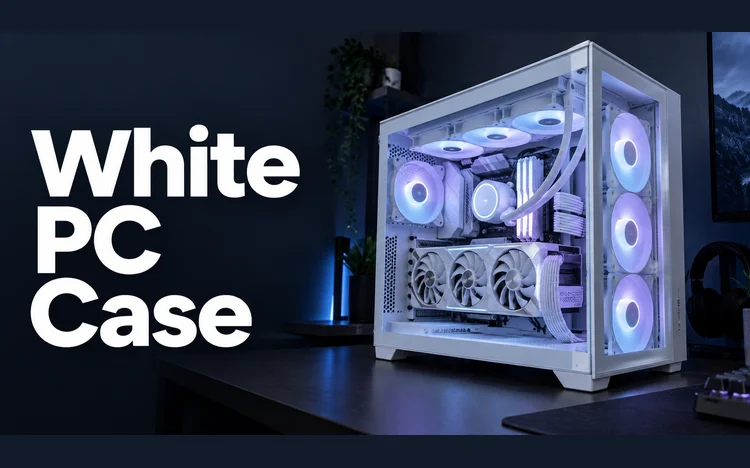
A white PC case can turn ordinary components into a clean, coordinated gaming setup. Color matters, but airflow, hardware clearance, cooling support, and cable space matter more. The right chassis should look good without restricting future upgrades. For most U.S. builders, the Corsair FRAME 4000D RS ARGB offers the strongest mix of flexibility and hardware support.
NZXT’s H6 Flow suits panoramic builds, while the LANCOOL 207 prioritizes airflow and included fans. Buyers wanting furniture-inspired styling or maximum display space have strong alternatives too.
Quick Comparison of Our 5 Picks
| Case | Best Fit | GPU Clearance | Radiator Support | Included Fans | Design |
|---|---|---|---|---|---|
| Corsair FRAME 4000D RS ARGB White | Most builders | 430 mm | Up to 360 mm | 3 ARGB | Modular mid-tower |
| NZXT H6 Flow White | Panoramic builds | 365 mm | Up to 360 mm top | 3 | Dual-chamber |
| Lian Li LANCOOL 207 White | Airflow-focused builds | 375 mm | Up to 360 mm top | 4 | Compact ATX |
| Fractal Design North Chalk White | Living-room setups | 355 mm | Up to 360 mm front | 2 | Wood-accented |
| HYTE Y70 Snow White | Showcase builds | Large four-slot GPU support | Extensive multi-fan support | None listed | Large dual-chamber |
Manufacturer specifications can change between revisions. Always verify your exact GPU, cooler, motherboard, and power supply before ordering. Current retailer pricing can also change quickly.
Direct answer: A good white PC case should combine unrestricted airflow, enough graphics-card clearance, practical cable routing, and suitable radiator support. For most standard ATX builds, the Corsair FRAME 4000D RS ARGB covers those needs well. Panoramic or display-focused systems may benefit more from the NZXT H6 Flow or HYTE Y70.
Why White Cases Remain Popular in 2026
White hardware gives a gaming setup a brighter appearance than the traditional black tower. It also creates strong contrast with colored RGB lighting and darker internal components. Tempered glass makes that contrast especially visible in modern showcase designs. Appearance still should not drive the whole purchase. Restricted front panels can reduce fresh-air intake, regardless of their color.
A mesh or well-ventilated design usually gives builders more flexibility for cooling. White surfaces may also show certain marks sooner than darker finishes. Regular dusting helps keep panels and ventilation openings clean. Using removable dust filters can reduce how often the interior needs attention.
How to Choose a White PC Case for Your Build
Start with your motherboard size before comparing designs. Standard ATX remains common, while Micro-ATX and Mini-ITX boards need less internal space. E-ATX support varies more between individual chassis. Next, check graphics card length and thickness. Modern performance GPUs can occupy several expansion slots and require substantial length. Extra clearance also makes installation and cable routing easier.
Cooling support deserves the same attention. Check both fan mounting positions and radiator dimensions before buying an AIO cooler. A chassis that supports a 360 mm radiator may limit where you can install it. You should also consider front connectivity. USB Type-C is useful for portable SSDs, phones, controllers, and other modern accessories. Several current cases now include Type-C alongside traditional USB-A ports.
Before finalizing a motherboard, Techrolab’s Gigabyte motherboard guide can help explain common connectivity and expansion features. Those details matter because motherboard layout affects your finished build. Checking compatibility early prevents expensive component changes later.
1. Corsair FRAME 4000D RS ARGB White: Strong All-Around Choice
Corsair’s FRAME 4000D RS ARGB supports Mini-ITX, Micro-ATX, ATX, and selected E-ATX motherboards. It provides up to 430 mm of GPU clearance and 170 mm of CPU-cooler height. Corsair also includes three RS120 ARGB fans. Cooling flexibility is a major strength. Corsair lists support for a 360 mm radiator in several mounting positions. The chassis also supports reverse-connector motherboards from compatible ASUS, MSI, and Gigabyte families.
Its modular design gives builders room to adapt the system later. That makes sense for users who regularly replace graphics cards or cooling hardware. Corsair also provides USB-C and two USB-A ports on the front panel.
Pros.
- 430 mm maximum GPU clearance
- Three ARGB fans included
- Broad radiator support
- Reverse-connector motherboard compatibility
- USB-C front connectivity
Cons.
- Larger than some compact ATX choices
- Modular options may be unnecessary for simple builds
Verdict: This is the most balanced choice for many standard gaming builds. It combines expansion space, modern connectivity, and useful cooling options. Builders planning future upgrades should especially appreciate its flexibility.
2. NZXT H6 Flow White: Great for Panoramic Gaming Builds
The NZXT H6 Flow uses a compact dual-chamber layout with wraparound glass. It supports ATX, Micro-ATX, and Mini-ITX motherboards. NZXT specifies a maximum GPU clearance of 365 mm. Three 120 mm fans come with the standard H6 Flow. The chassis supports a radiator up to 360 mm at the top. Its front-right fan position directs intake toward the main component chamber.
The H6 Flow also provides generous cable-routing space behind the visible compartment. That helps builders hide power and data cables from the main viewing area. Front connections include two USB-A ports and one USB-C port.
Pros.
- Panoramic wraparound appearance
- Three included fans
- Dual-chamber cable management
- 360 mm top radiator support
- USB-C front port
Cons.
- Less GPU length than the Corsair
- Wide dual-chamber footprint needs desk space
Verdict: Choose the H6 Flow when display quality matters almost as much as cooling. It suits coordinated RGB builds without becoming an oversized full tower. Check long graphics cards against their 365 mm limit first.
3. Lian Li LANCOOL 207 White: Excellent Airflow Value
The LANCOOL 207 is a relatively compact ATX chassis with strong factory cooling. Lian Li includes two 140 mm ARGB front fans and two 120 mm PWM fans. It supports graphics cards up to 375 mm long. Lian Li says the top radiator support reaches 360 mm. The case supports standard ATX boards up to 244 mm wide. It also supports Micro-ATX and Mini-ITX boards.
Four included fans can reduce the number of cooling parts you need initially. That makes the design attractive for builders watching total system cost. Its front panel also includes USB-C, two USB-A ports, and audio.
Pros.
- Four included fans
- 375 mm GPU clearance
- 360 mm top radiator support
- Compact dimensions for ATX
- USB-C front connection
Cons.
- PSU length has tighter limits
- Extra-wide ATX boards need careful checking
Verdict: The LANCOOL 207 suits buyers who prioritize airflow and included cooling hardware. Its factory fan configuration adds practical value without requiring immediate upgrades. Measure your power supply before choosing this model.
4. Fractal Design North Chalk White: Best for Subtle Styling
Fractal Design takes a different approach with the North Chalk White. Its front combines ventilation with real wood accents and understated metal details. That styling can fit offices and living spaces better than aggressive gaming designs. The standard North supports ATX, Micro-ATX, and Mini-ITX boards. Fractal lists maximum graphics-card length at 355 mm, with a shorter limit when the front radiator position is used.
Two 140 mm Aspect PWM fans are included at the front. The front radiator support reaches 360 mm, while the top support reaches 240 mm. The front panel includes two USB-A ports and one 20 Gbps USB-C connection. Cable-routing space is listed at 30 mm.
Pros.
- Distinctive wood-accented design
- Two 140 mm fans included
- 360 mm front radiator support
- Fast USB-C front connection
- Removable panels simplify access
Cons.
- Lower GPU clearance than several rivals
- Large front radiators can reduce available GPU space
Verdict: Pick the North when the computer must blend into a furnished room. Its design feels less like traditional gaming hardware. High-end GPU buyers should carefully calculate radiator and card dimensions.
5. HYTE Y70 Snow White: Built for Maximum Visual Impact
The HYTE Y70 is a large dual-chamber showcase chassis with three panoramic glass sections. HYTE designed it around vertically mounted graphics cards and high-capacity cooling. It includes a PCIe 4.0 riser cable. The case measures roughly 470 mm on each main exterior dimension, excluding its width difference. It supports ITX, Micro-ATX, ATX, and E-ATX motherboards. HYTE also provides top, side, and bottom dust filtration.
This model makes the most sense when component presentation is a major priority. Its 70.7-liter volume demands considerably more physical space than smaller towers. U.S. buyers should also expect a premium price compared with mainstream mid-towers.
Pros.
- Panoramic three-piece glass design
- Included PCIe 4.0 riser cable
- Four-slot vertical GPU support
- Large cooling capacity
- E-ATX compatibility
Cons.
- Large footprint
- Higher purchase price
- Showcase design may require extra fans
Verdict: Choose the Y70 for a display-focused build where size and cost are secondary. Its layout gives premium components more visual presence. Budget builders can get similar gaming performance from much cheaper chassis.
Which Case Should You Buy?
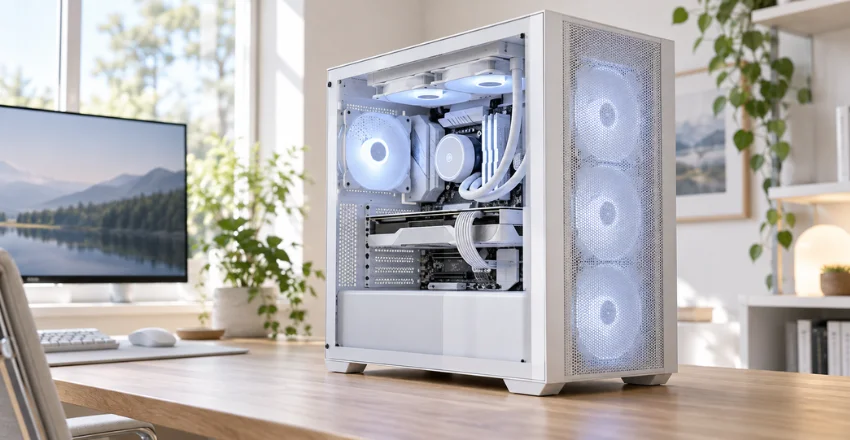
Most builders should start with component dimensions rather than appearance. The Corsair FRAME 4000D RS ARGB offers the broadest combination of clearance, cooling flexibility, and included fans. That makes it an easy starting point for mainstream ATX gaming systems. Choose the LANCOOL 207 when included airflow hardware matters most. Pick the NZXT H6 Flow when you want panoramic glass without moving to an oversized tower.
The Fractal North makes more sense for understated rooms and mixed-use workspaces. The HYTE Y70 targets a different buyer. It prioritizes presentation, vertical graphics, and internal space over compactness. That extra room helps with elaborate cooling or showcase builds.
Check the Rest of Your Hardware Before Ordering
Case compatibility goes beyond motherboard size. Check your graphics card, power supply, CPU cooler, radiator, and storage plans together. A single clearance conflict can force a different component choice. Storage is especially easy to overlook during planning. Techrolab’s M.2 SSD guide explains common drive sizes and interface differences. M.2 storage can also reduce visible cabling compared with traditional SATA drives.
After completing the build, firmware setup may be your next task. Techrolab’s guide to opening BIOS or UEFI covers common access methods for Windows PCs. Firmware access can help confirm newly installed storage and other hardware.
White Case Maintenance Tips
Dust is easiest to manage before it reaches the components. Clean removable filters regularly and keep floor-mounted systems away from heavy carpet. Good intake filtration also helps fans and heatsinks stay cleaner. Use a soft microfiber cloth on painted exterior panels and tempered glass. Avoid harsh household cleaners unless the manufacturer specifically approves them. You can also apply a small amount of suitable glass cleaner to the cloth.
Cable color is optional, not functional. White sleeved extensions can create a more coordinated appearance behind clear glass. Black cables can also provide intentional contrast in mixed-color builds.
Final Verdict
A white chassis should support your hardware first and complete the visual theme second. The Corsair FRAME 4000D RS ARGB is the strongest general-purpose choice among these five based on published specifications. Its 430 mm GPU clearance and flexible cooling support leave useful room for upgrades.
The LANCOOL 207 is compelling for airflow-focused buyers, while the H6 Flow better serves panoramic setups. Fractal’s North offers a more furniture-friendly style, and HYTE’s Y70 targets large showcase systems. Your component dimensions should decide which advantage matters most.
Before ordering, compare every major component against the manufacturer’s current compatibility table. Then review storage, motherboard, and cooling plans as one complete system. That approach prevents a good-looking case from becoming an expensive fitment problem.
Frequently Asked Questions
Is a white PC case harder to keep clean?
White surfaces can make dark dust or marks easier to notice. Regular filter cleaning and light exterior wiping usually manage the problem. Maintenance needs still depend more on room conditions and airflow.
Does a white case make a computer run cooler?
Case color has little practical effect on component temperatures inside a typical room. Airflow design, fan placement, and cooler capacity matter far more. Focus on ventilation and component clearance instead of exterior color.
What case size is best for a gaming PC?
ATX mid-towers fit many gaming systems. They provide useful expansion room without requiring full-tower desk space. Smaller builds work well when you select every component for tighter clearances.
How much GPU clearance should I look for?
Use your exact graphics-card length rather than a universal target. Leave extra room if front radiators, fans, or thick power connectors take up nearby space. Check manufacturer specifications before purchase.
Should I buy a case with fans already installed?
Included fans can reduce initial build cost and setup work. Their value depends on fan quality, quantity, and your cooling plans. Builders installing a complete custom fan set may care less about bundled hardware.