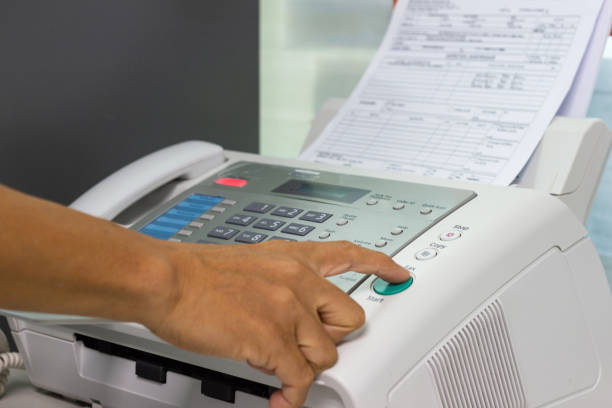
In today’s fast-paced digital world, communication methods continue to evolve, yet faxing remains a crucial component for many professionals and businesses. The traditional fax machine has long been a staple in offices, but its bulky nature and dependency on landlines make it less convenient for the modern, mobile workforce. Fortunately, technology has caught up, and now you can send faxes quickly and securely from your iPhone. This transformation offers unparalleled convenience, flexibility, and efficiency, ensuring that you can manage important documents no matter where you are. There is more on this in Master how to clear up storage on iphone.
The Evolution of Faxing: From Machines to Mobile
Faxing, short for facsimile, has been around since the 19th century, evolving from Alexander Bain’s early inventions to the sophisticated, networked fax machines of the late 20th century. Despite the advent of email and other digital communication tools, faxing has persisted due to its reliability, legal standing, and ability to transmit signed documents securely.
The Benefits of Mobile Faxing
Sending faxes from your iPhone brings numerous advantages that cater to both personal and professional needs.
Convenience and Mobility
One of the most significant benefits of using an iPhone to send a fax is the convenience it offers. No longer are you tied to a specific location or device. Whether you are at home, in the office, or on the move, you can send and receive faxes with just a few taps on your phone. This mobility is particularly beneficial for professionals who travel frequently or work remotely.
Ease of Use
Mobile fax apps are designed with user-friendliness in mind. They typically feature intuitive interfaces that guide you through the process of sending a fax. From scanning documents using your phone’s camera to selecting recipients from your contacts, these apps simplify each step, making the entire process accessible even to those who are not tech-savvy.
Key Features of Mobile Fax Apps
Mobile fax apps come packed with features that enhance the faxing experience, making it not only more convenient but also more efficient.
24/7 Faxing Capability
One of the standout features of mobile fax apps is their 24/7 availability. Unlike traditional fax machines that may be limited by office hours, mobile apps allow you to send faxes anytime, anywhere. This ensures that urgent documents can be transmitted without delay, a critical aspect for time-sensitive communications.
Proof of Delivery
Receiving confirmation that your fax has been delivered is crucial for accountability and record-keeping. Mobile fax apps typically provide proof of delivery for each fax sent, ensuring that you have a verifiable record of the transaction.
Document Scanning
Most mobile fax apps include a built-in scanner feature. This allows you to quickly capture and digitize documents using your iPhone’s camera. The app will then process and optimize the scanned image to ensure it meets the necessary quality standards for fax transmission.
How to Get Started with Mobile Faxing
Getting started with mobile faxing on your iPhone is straightforward. Here is a step-by-step guide to help you begin.
Download a Mobile Fax App
First, visit the App Store and search for a reputable mobile fax app. Look for one with high user ratings and positive reviews to ensure reliability and quality. Once you find an app that suits your needs, download and install it on your iPhone.
Set Up Your Account
After installation, open the app and set up your account. This typically involves providing basic information and creating a username and password. Some apps may also require you to select a subscription plan, as many offer in-app purchases for extended features.
Scan or Upload Your Document
To send a fax, you need a digital copy of your document. You can either scan a physical document using the app’s built-in scanner or upload an existing digital file from your iPhone’s storage or cloud services.
Enter Recipient Details
Next, enter the recipient’s fax number. Many apps allow you to select recipients from your contact list, making this step quicker and easier.
Add a Cover Page (Optional)
Some mobile fax apps offer the option to include a cover page with your fax. This can be useful for providing context or instructions to the recipient.
Send the Fax
Once you have prepared your document and entered the recipient’s details, simply hit the send button. The app will transmit your fax over the internet, and you will receive a confirmation once it has been successfully delivered.
Conclusion
Sending faxes quickly and securely from your iPhone represents a significant leap forward in communication technology. Mobile faxing combines the reliability of traditional faxing with the convenience and flexibility of modern mobile devices. By leveraging advanced features such as 24/7 availability, proof of delivery, and electronic signatures, mobile fax apps provide a comprehensive solution for both personal and professional faxing needs.
Apart from that if you want to know about “Technology Usage in Running a Modern Self Storage Facility” then please visit our “Technology” Category