Introduction
3D printing has become more accessible than ever, making it a popular choice for both hobbyists and professionals. With prices for entry-level models dropping, beginners can now explore the world of 3D printing without breaking the bank. This guide aims to provide essential insights into the best 3D printers for beginners, helping you make an informed decision as you embark on your 3D printing journey. Whether you’re interested in creating personalized items, prototypes, or teaching tools, there’s a printer out there that fits your needs and budget.
What You Should Know About 3D Printers
Here are some of the points you should know about 3D Printers:
- No 3D printer is unbreakable; expect to replace parts or make repairs eventually.
- Replacement parts are available for some models (e.g., Bambu Lab A1 Mini, X1-Carbon), but ease of repair varies across brands.
- If you’re uncomfortable with minor repairs, 3D printing may not be for you.
- The 3D-printing industry is constantly evolving; top brands change and support can disappear.
- Health and environmental risks exist due to fumes released during printing. Proper ventilation is advised.
Materials Used by 3D Printers for Printing
3D printers use various materials, with entry-level FFF printers being the most popular for their affordability and ease of use.
- Common materials for filament printers include PLA, ABS, PETG, TPU, Nylon, and Polycarbonate, with PLA and ABS being the most widely used.
- Some advanced 3D printers use concrete and metal for large-scale projects, such as sustainable construction, though these are not common in desktop models.
Key Features to Consider While Choosing a 3D Printer
Here are some important features to look for in the best 3D printers for beginners:
1. Build Volume
This is the maximum size of the objects you can print. While beginners may not need the largest build volume, it’s important to choose a printer that fits your needs.
2. Resolution and Print Quality
Measured in microns, the resolution refers to the level of detail a printer can achieve. For most beginners, a resolution between 100-300 microns is sufficient, but a lower number means better print quality.
3. Filament Compatibility
Different printers support different filament types. PLA is the most beginner-friendly material, as it’s easy to work with and doesn’t require a heated bed. Other common materials include ABS and PETG.
4. Software and Connectivity
Most 3D printers come with slicer software to convert 3D models into printable files. Look for easy-to-use software that doesn’t overwhelm beginners with too many settings. Printers with USB, SD card, or Wi-Fi connectivity offer flexibility in how you load your files.
1. Affordability
When choosing a 3D printer, affordability is a key consideration, especially for beginners. Entry-level 3D printers can range from as low as $200 to $500, offering good print quality and basic functionality.
Types of Best 3D Printers for Beginners
The most common types of 3D printing technologies that can be used for beginners are:
- FDM (Fused Deposition Modeling)
- SLA (Stereolithography)
FDM is ideal for beginners due to its affordability and ease of use, while SLA provides high-quality prints but is slightly more complex.
Best 3D Printers for Beginners
Creality Ender 3 V2
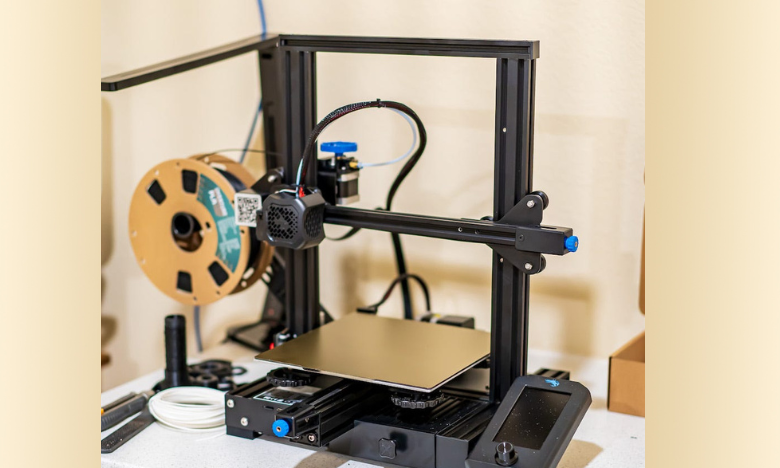
The Creality Ender 3 V2 is a goodBuild Volume: 220 x 220 x 250 mm choice for beginners. Known for its sturdy design and easy-to-follow setup, this printer offers excellent value for money. The updated V2 version improves upon its predecessor with a quieter motherboard and a more intuitive user interface.
Specifications
Price: $200-$300
Type: FDM
Build Volume: 220x220x250 mm
Filament Compatibility: PLA, ABS, PETG
Bambu Lab A1 Combo
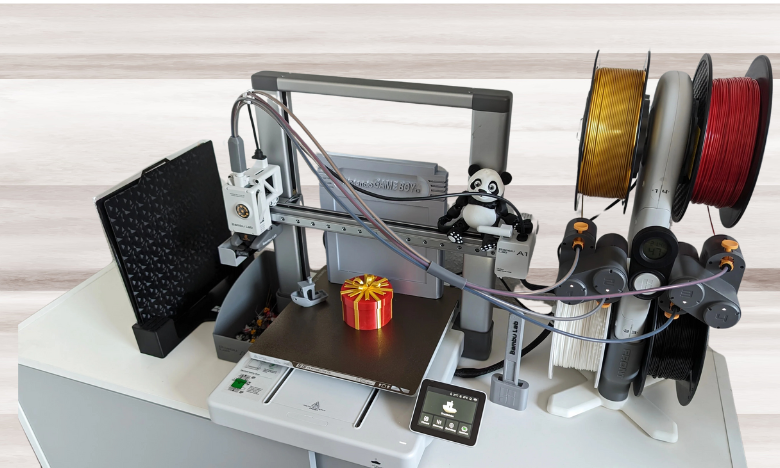
Known for its user-friendly design and high performance, it offers automatic bed leveling and easy calibration, making it simple to use even for those with no prior experience. The printer supports multiple filament types like PLA and ABS, and its high-speed printing capabilities save time without sacrificing print quality. Additionally, it comes with a built-in camera for monitoring prints, making the Bambu Lab A1 Combo an excellent entry-level option with advanced features.
Specifications
Price: $489
Type: FDM
Build Volume: 256x256x256 mm
Filament Compatibility: PLA, PETG, TPU, ASA, PC, PA, PA-CF/GF, PET-CF/GF, PPA-CF/GF
Prusa MK4S

The Prusa MK4S is a reliable and durable 3D printer that is well-suited for both beginners and experienced users. It features a large build volume and exceptional print quality thanks to its precise layer resolution. The MK4S offers automatic bed leveling and a sturdy frame for consistent results. Prusa’s user-friendly software and active community make troubleshooting and learning easy for beginners, while the printer’s upgradeability ensures it grows with your needs.
Specifications
Price: $775 – 800
Type: FDM
Build Volume: 250x210x220 mm
Filament Compatibility: PLA, ABS, ASA, PETG
Bambu Lab P1S
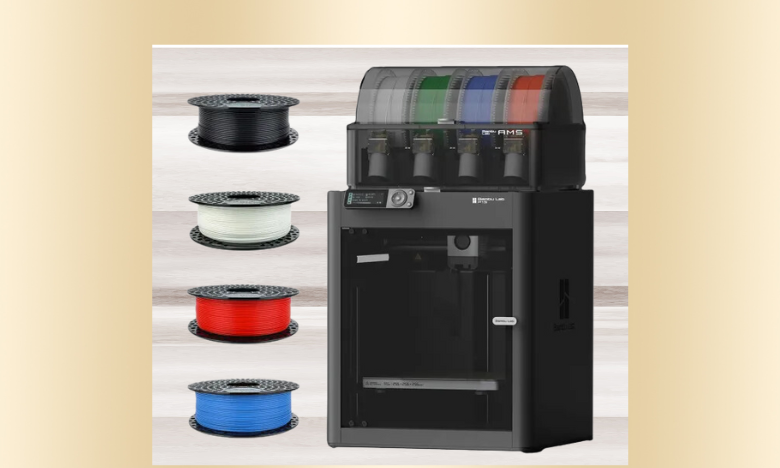
The Bambu Lab P1S is a solid 3D printer for beginners who are looking for more precision and quality in their prints. With features like automatic bed leveling, multiple filament compatibility, and quiet operation, the P1S balances convenience and performance. It’s designed to deliver consistent results while reducing the learning curve, making it a great option for hobbyists just starting.
Specifications
Price: $200-$300
Type: FDM
Build Volume: 220x220x250 mm
Filament Compatibility: PLA, ABS, TPU, PETG
Anycubic Kobra 2 Max

Known for its fast setup and easy calibration, this printer is equipped with auto-bed leveling and a user-friendly touchscreen interface. The Kobra 2 Max supports a variety of filaments, including PLA and ABS, and its modular design ensures smooth, precise prints. Its robust build and versatility make it a standout choice for hobbyists looking to work on larger projects right from the start.
Specifications
Price: $429
Type: FDM
Build Volume: 420x420x500 mm
Filament Compatibility: PLA, ABS, TPU, PETG
Qidi Q1 Pro

The Qidi Q1 Pro is an entry-level 3D printer that balances performance with ease of use, making it an excellent option for beginners. With features like dual extruders and a fully enclosed design, it provides a safer and more reliable printing environment. Its enclosed build chamber helps control temperature, reducing warping and improving overall print quality.
Specifications
Price: $490
Type: FDM
Build Volume: 245x245x240 mm
Filament Compatibility: PLA, ABS
Flashforge Adventurer 5M Pro
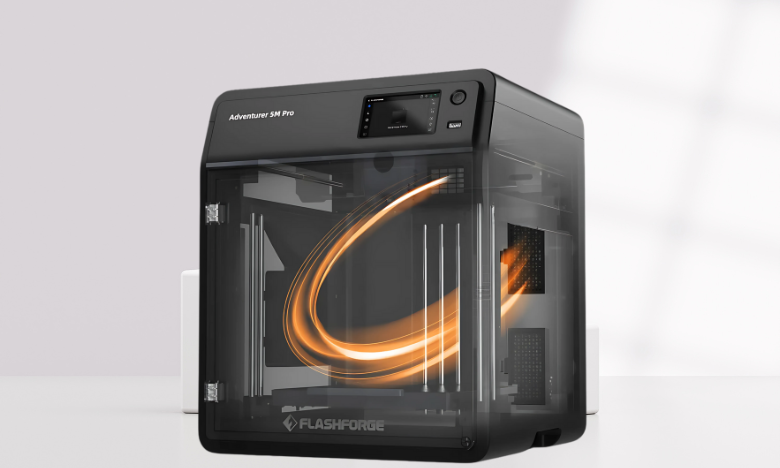
The Flashforge Adventurer 5M Pro is a beginner-friendly 3D printer with a focus on simplicity and high performance. It comes pre-assembled, making it ready to print right out of the box. The printer features a flexible build plate and automatic bed leveling. Its compact design and quiet operation make it perfect for home use, and the built-in Wi-Fi connectivity allows for easy remote printing.
Specifications
Price: $380-$600
Type: FDM
Build Volume: 220x220x220 mm
Filament Compatibility: PLA, ABS, TPU, PETG, PC, PLA-CF, PETG-CF
Care and Maintenance
3D printers require regular maintenance to prevent breakdowns and print flaws:
- Bed leveling: Check and adjust the print bed periodically if your printer lacks automatic leveling.
- Cleaning: Remove plastic remnants from the print bed with a cloth and warm water, or use 90% isopropyl alcohol for stubborn grime.
- Uneven layer lines: Fix loose axis belts and lubricate the z-axis screw using a dry-film PTFE lubricant.
- Heating and cooling: Follow manufacturer guidelines to avoid clogs.
- Print removal: Use a removable, flexible print bed, heat it, or place it in the freezer to release stuck prints.
Learning and Community Support
One of the advantages of starting with a beginner-friendly 3D printer is the strong community support available online. Forums, social media groups, and dedicated manufacturer communities provide troubleshooting advice, print file sharing, and tutorials that can significantly shorten the learning curve.
Engaging with these communities allows beginners to exchange tips on print settings, discover creative project ideas, and even participate in challenges or competitions. This support network not only helps prevent common mistakes but also encourages experimentation and growth, making the 3D printing journey both educational and enjoyable.
Is 3D Printing Worth Investing In?
The value of a 3D printer depends on how you plan to use it and how often. If you enjoy modeling and printing, whether for personal or professional purposes, it’s definitely worth the investment—especially with the decreasing costs of entry-level 3D printers.
Conclusion
Choosing the best 3D printer for beginners requires balancing affordability, ease of use, and key features like build volume, resolution, and material compatibility. With proper care and maintenance, a 3D printer can be a valuable tool for both personal and professional projects. As technology continues to evolve, 3D printing offers endless possibilities for creativity and profit. Whether you opt for an FDM or SLA printer, there’s a model out there to suit your needs and budget.
Apart from that if you want to know about “Harnessing Big Data Revolutionizing Investment Strategies” then please visit our “Technology” Category.
FAQs
The power usage of a 3D printer depends on its size, materials, and usage duration. FDM printers generally consume the least power compared to other types.
A 3D printer can produce various profitable items, from personalized products like phone cases to replacement parts, prototypes, and teaching tools. With proper marketing, any of these can generate profit.
Typically, entry-level 3D printers range in price from $100 to $400.