The best apartment security cameras for renters are small Wi-Fi cameras that need no drilling: one indoor camera covering the front door and main room, plus a peephole or over-the-door camera if your landlord allows it. Aim for at least 1080p video, reliable night vision, person detection, a storage option you can afford long term and two-factor authentication on the account. Keep cameras pointed at your own space, check your lease before mounting anything outside the unit, and switch off audio wherever you might record neighbors.
The rest of this guide walks through how apartment setups differ from houses, which camera types fit a rental, how to place and mount them without losing your deposit, what the privacy rules look like, what storage really costs over a year, and the habits that keep footage useful and your account secure.

Why Apartment Security Is Different From a House
A homeowner can bolt a floodlight camera to the garage and run cable through the attic. A renter usually cannot. The walls belong to the landlord, the hallway is a common area, and the person across the corridor is close enough that a careless camera angle can capture their door every time it opens. Those three facts shape every decision below.
There is an upside. Most apartments have one main door and a handful of windows, and only ground-floor or balcony units have more than one realistic entry point. That means two or three well-placed cameras can cover what a house might need six or eight to protect. A small system is cheaper, easier to manage and simpler to take with you when the lease ends.
It also helps to be clear about what cameras do and do not do. They deter opportunistic thieves, particularly package thieves who scan for visible lenses. They create evidence you can hand to police or attach to a renters insurance claim. And they give you remote check-ins on pets, deliveries and contractors. They do not stop a determined intruder on their own, which is why they work best alongside solid locks and a few sensible habits.
Types of Apartment Security Cameras Compared

Not every camera category makes sense for a tenant. The table below ranks the common types by how well they suit a rental and what to watch for with each.
| Camera type | Best use in an apartment | Renter friendliness | What to watch for |
|---|---|---|---|
| Indoor Wi-Fi camera | Living room or the inside of the entry door | Excellent: sits on a shelf or cabinet | Choose one with a privacy shutter or home mode |
| Pan-tilt indoor camera | Covering an open-plan room with one device | Excellent | Motion tracking is handy for pets; moving parts can be noisy |
| Peephole camera | Seeing who is at the door without drilling | Very good | Replaces or clips over the peephole, so check lease rules on door changes |
| Over-the-door or no-drill doorbell camera | Visitors and package deliveries | Good with written approval | Battery powered; the bracket must not stop the door sealing |
| Window-mounted camera | Ground-floor windows and balconies | Good | Infrared glare off glass at night; mount flush to the pane |
| Outdoor bullet or dome camera | Buildings you own or manage | Poor for tenants | Drilling, wiring and landlord consent usually required |
For a typical one- or two-bedroom unit, a sensible starter kit is one indoor camera facing the entry and one entrance-side device such as a peephole camera. Add a window camera only if you are on the ground floor or have an accessible balcony.
Features That Matter (and Ones You Can Skip)
- Resolution: 1080p is the practical floor for recognizing a face across a room. 2K helps when you zoom into a recording, but it uses more bandwidth and storage.
- Night vision: infrared works in complete darkness but reflects off glass, so never aim an IR camera through a window. Color night vision needs some ambient light from a lamp or hallway fixture.
- Field of view: 110 to 130 degrees covers most living rooms from a corner. Very wide lenses distort the edges, which can make faces harder to read.
- Smart detection: person and package detection matter more in apartments than in houses, because hallway foot traffic will otherwise trigger constant alerts.
- Storage options: microSD or a local hub avoids monthly fees; cloud storage protects footage if someone takes the camera. Models that support both give you flexibility.
- Privacy controls: a physical lens shutter, geofenced home and away modes and privacy zones that black out parts of the frame.
- Account security: two-factor authentication, encrypted video and a brand with a visible history of firmware updates.
- Power: plug-in cameras never need charging. Battery cameras are easier to place but need recharging every few weeks to a few months depending on activity.
Features you can usually skip as a renter: spotlights and sirens designed for driveways, solar panels, and professional monitoring contracts with long commitments that do not transfer easily when you move.
Where to Place Cameras in an Apartment

Start by walking the route a burglar or package thief would take, then cover those points in order of risk.
- Front door (priority one): most apartment break-ins and nearly all package thefts happen here. An indoor camera across the room facing the door records anyone who enters, even if you cannot mount anything in the hallway.
- Main living area: laptops, TVs, game consoles and bags tend to live here. A corner shelf position usually captures the whole room.
- Ground-floor windows and balconies: the most common secondary entry points, especially sliding doors with weak latches.
- Places to avoid: bathrooms, a roommate’s or guest’s bedroom without their consent, and any angle that looks into a neighbor’s door, window or unit.
Height and angle make a bigger difference than most people expect. Set cameras around head height or slightly above, tilted down, so you capture faces rather than the tops of heads. Keep bright windows behind the camera, not in front of it, or anyone standing in the frame becomes a dark silhouette. Before you commit to a spot, check the live view at the time of day you are most often away.
Renter-Friendly Installation, Step by Step
- Read your lease. Look for clauses on alterations, door hardware, satellite or device mounting, and surveillance of common areas.
- Ask your landlord in writing before attaching anything to the door, the hallway wall or the building exterior. Say what the device is, how it mounts and exactly what it will see. An email reply gives you a record.
- Pick no-drill mounts: shelves and bookcases, adhesive mounts rated above the camera’s weight, tension rods in window frames, or over-the-door brackets.
- Test Wi-Fi at each spot with your phone before mounting. Concrete and brick walls can weaken signals, and a mesh node or extender often fixes dead zones.
- Set up the app properly: use a unique password, turn on two-factor authentication, give each camera a clear name and draw activity zones that exclude the hallway beyond your door.
- Test in daylight and at night: walk through each view, confirm alerts reach your phone and check that night footage is usable.
- Keep the original packaging, screws and adhesive remover so you can take everything down cleanly and protect your security deposit.
Professional installation is rarely worth it for a single unit. It does make sense for landlords and property managers adding cameras across a building, who should use licensed installers, post any signage local rules require and set a clear policy on how long footage is kept.
Privacy and Legal Rules for Renters
Recording video inside your own rented home is generally legal in the US. The complications sit in three areas, and getting them wrong is the most common way a camera turns into a dispute with a landlord or neighbor.
- Shared spaces: hallways, lobbies, stairwells and parking areas belong to the building. Your landlord can restrict or forbid cameras there, and many leases do.
- Audio recording: conversations are covered by federal and state wiretapping laws, and a number of states require the consent of everyone in the conversation. Turning off audio on any camera that might pick up neighbors or hallway talk is the safer default.
- Roommates, guests and caregivers: people have a reasonable expectation of privacy in bathrooms and bedrooms. Tell housemates and regular visitors where cameras are, and never place them in those rooms.
Rules vary by state and city, so if you are unsure, check your local tenant laws or ask a tenant rights organization or attorney. Courtesy counts as well: a camera that sees only your own doorway rarely causes friction, while one that covers a neighbor’s entrance almost always does.
Storage, Costs and Subscriptions
The camera is usually the smaller expense. The long-term cost is the cloud plan, which is typically billed monthly per camera or per home and unlocks video history and smart alerts. Over a few years, subscriptions can cost more than the hardware, so decide on your storage approach before you buy.
| Storage approach | Ongoing cost | Main advantage | Main drawback |
|---|---|---|---|
| microSD card in the camera | None after the card | No fees; works without internet | Footage is lost if the camera is stolen |
| Local hub or base station | None after purchase | Several cameras record to one place | The hub itself can be taken or damaged |
| Cloud subscription | Monthly fee | Footage survives theft; smart alerts | Recurring cost; depends on your internet |
| Hybrid (local plus cloud on one camera) | One small plan | Evidence from the door is backed up off-site | Slightly more setup |
For most renters, the hybrid option is the sweet spot: record everything locally and pay for cloud backup only on the camera that watches the front door. If a thief grabs a camera, the clip of them walking in is already stored off-site.
Getting the Most From Your Cameras
- Tune alerts in the first week. Use person detection and tighten activity zones until your phone only buzzes for events worth checking.
- Use home and away modes so indoor cameras stop recording when you are in, which also protects your own privacy.
- Update firmware and wipe lenses every month or two; dust and fingerprints soften night footage quickly.
- Save clips immediately after an incident. Many systems overwrite old recordings on a rolling basis.
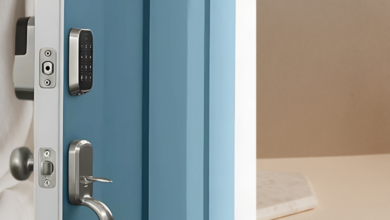
- Layer your security. Cameras record a break-in; locks slow it down. A smart lock can also log every entry and send alerts, and our guide to the best keyless door locks covers renter-friendly retrofit models.
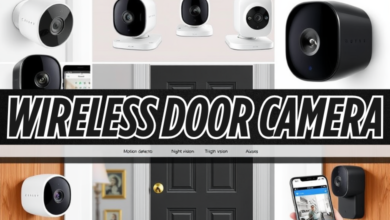
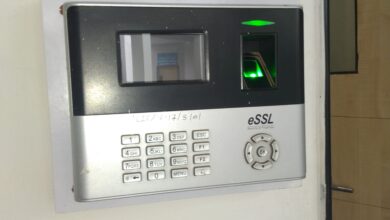
If the entrance is your main concern, our roundup of wireless door cameras goes deeper on peephole and doorbell options. For a look at fingerprint and face-recognition access, see our overview of biometric security devices.
Common Mistakes Renters Make
- Mounting a doorbell camera in the hallway without permission, then being asked to remove it and repair the wall.
- Aiming an infrared camera through a window, which produces a white glare instead of a usable image at night.
- Leaving audio on by default and recording neighbors’ conversations in the corridor.
- Skipping two-factor authentication and reusing a password from another account.
- Relying only on a microSD card in a camera that sits right next to the door a thief would use.
Pros and Cons of Apartment Security Cameras
| Pros | Cons |
|---|---|
| Deter package theft and opportunistic break-ins | Cloud plans add an ongoing monthly cost |
| Provide evidence for police reports and insurance claims | Poor placement can upset neighbors or guests |
| Let you check on pets, deliveries and visitors remotely | Depend on stable Wi-Fi and power |
| No-drill models move with you to the next home | Leases may limit hallway or exterior cameras |
FAQs
Can I install a security camera in my apartment without asking my landlord?
An indoor camera sitting on a shelf inside your unit usually needs no permission. Anything mounted on the door, drilled into walls or aimed at shared areas should be checked against your lease and approved in writing by your landlord first.
What is the best type of security camera for renters?
Plug-in or battery Wi-Fi cameras that sit on a shelf or use adhesive or tension mounts suit most renters. Pair one indoor camera facing the entry with a peephole or over-the-door camera if your landlord allows it.
Is it legal to record audio with an apartment security camera?
Video inside your own home is generally legal, but audio falls under wiretapping laws, and some states require consent from everyone being recorded. Switch audio off on cameras that could capture neighbors or hallway conversations.
Do apartment security cameras need a subscription?
Not always. Many cameras record to a microSD card or local hub for free, while cloud history and advanced alerts usually need a monthly plan. A cloud plan on just the front-door camera is a good compromise.
How do I stop my security camera from being hacked?
Use a strong, unique password, turn on two-factor authentication and install firmware updates promptly. Secure your Wi-Fi router too, and buy from brands with a consistent record of security patches.
Will security cameras lower my renters insurance premium?
Some insurers offer discounts for security devices, but policies vary, so ask your provider directly. Even without a discount, clear footage can make a theft claim easier to support.
Bottom Line on Apartment Security Cameras
Start small: one indoor camera facing the front door, set up with two-factor authentication, person detection and a privacy zone over the hallway. Add an entrance camera only with your landlord’s written approval, back up front-door clips to the cloud, and keep audio off where neighbors might be recorded. That setup covers the biggest risks, respects your lease and comes down cleanly on moving day.